Release Jul 18, 2025
Last updated: October 13, 2026
What this is
Release notes for July 18, 2025. This is the first in a series of updates that give you more insight into publisher quality, audience fit and lead data accuracy, so you can pick the right publishers faster.
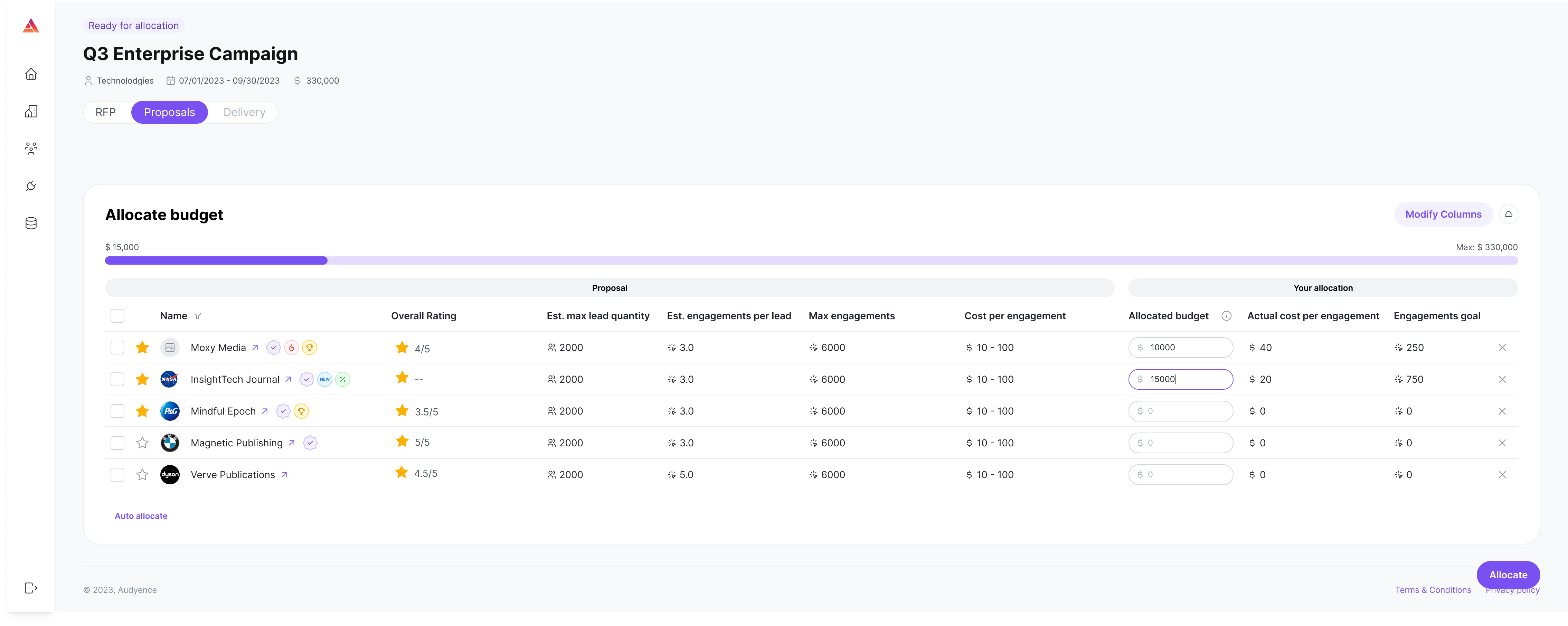
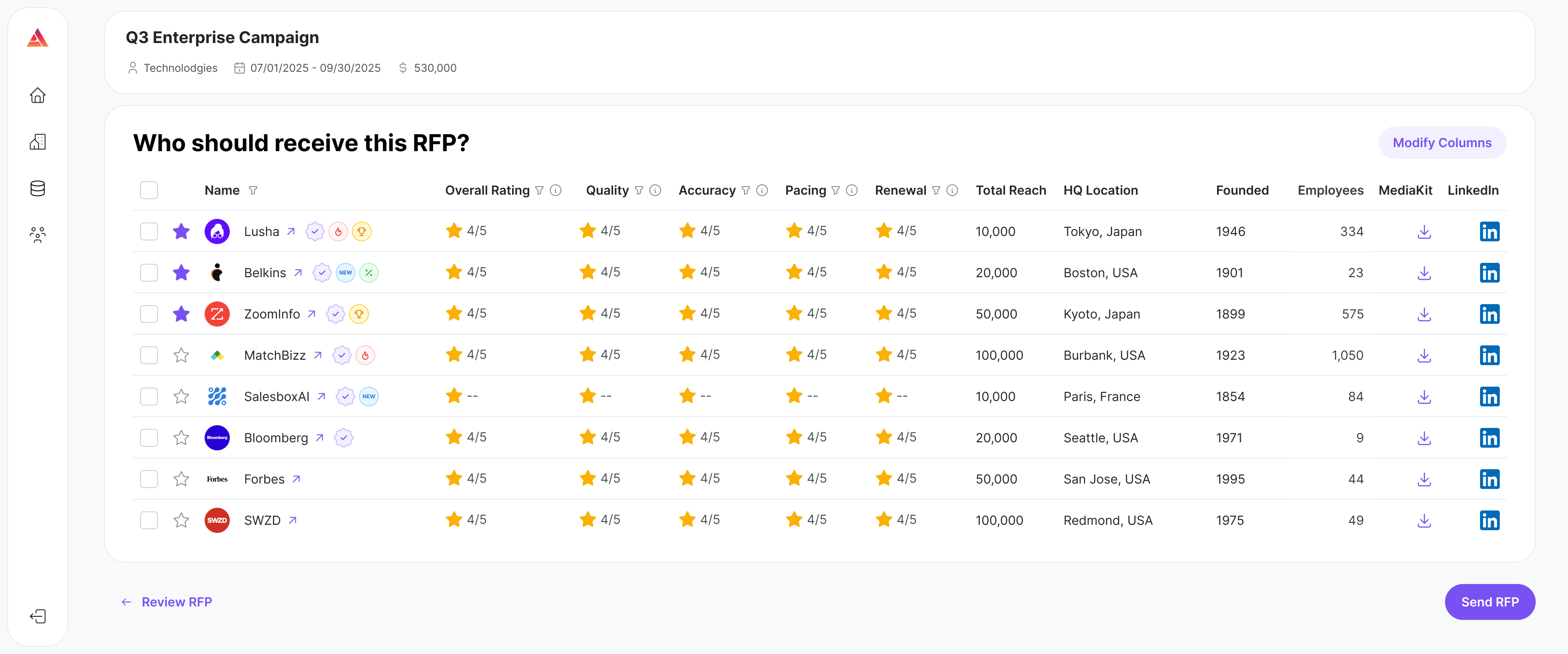
Key takeaway: Publishers now appear as individual publications called Listings, each with ratings and badges. You can open a Spotlight page for any Listing, choose which columns you see with Modify Columns, and star Listings as Favorites.
Note: This note describes the platform on July 18, 2025. Screens may have changed since. For current steps, see Allocating Budget to Publishers.
Publication-level Listings
Many suppliers own several brands or publications. Each one now appears on its own as a Listing, instead of under the parent company's name. This makes the supply path fully clear.
Each Listing shows:
its profile information, including total reach (useful when you pick publishers for larger campaigns)
quality and performance information that shows its service level and expected results
Performance ratings and badges
Prescribed badges
These badges are assigned and show a Listing's status in the marketplace.
New: shown on every new Listing, anywhere it appears in Audyence. This explains why other badges or ratings may not show yet.
Verified: given once the Listing passes Audyence's vetting and verification process.
Dynamic badges
These badges are earned through performance and give you a quick view of how other buyers rate a Listing.
Top Earner: given to the top recent revenue earners
Popular Choice: given to the publishers with the most allocations recently
Real-time ratings
While you evaluate publishers, you can see each publication's average performance score next to its Accuracy, Quality, Pacing and Renewal scores.
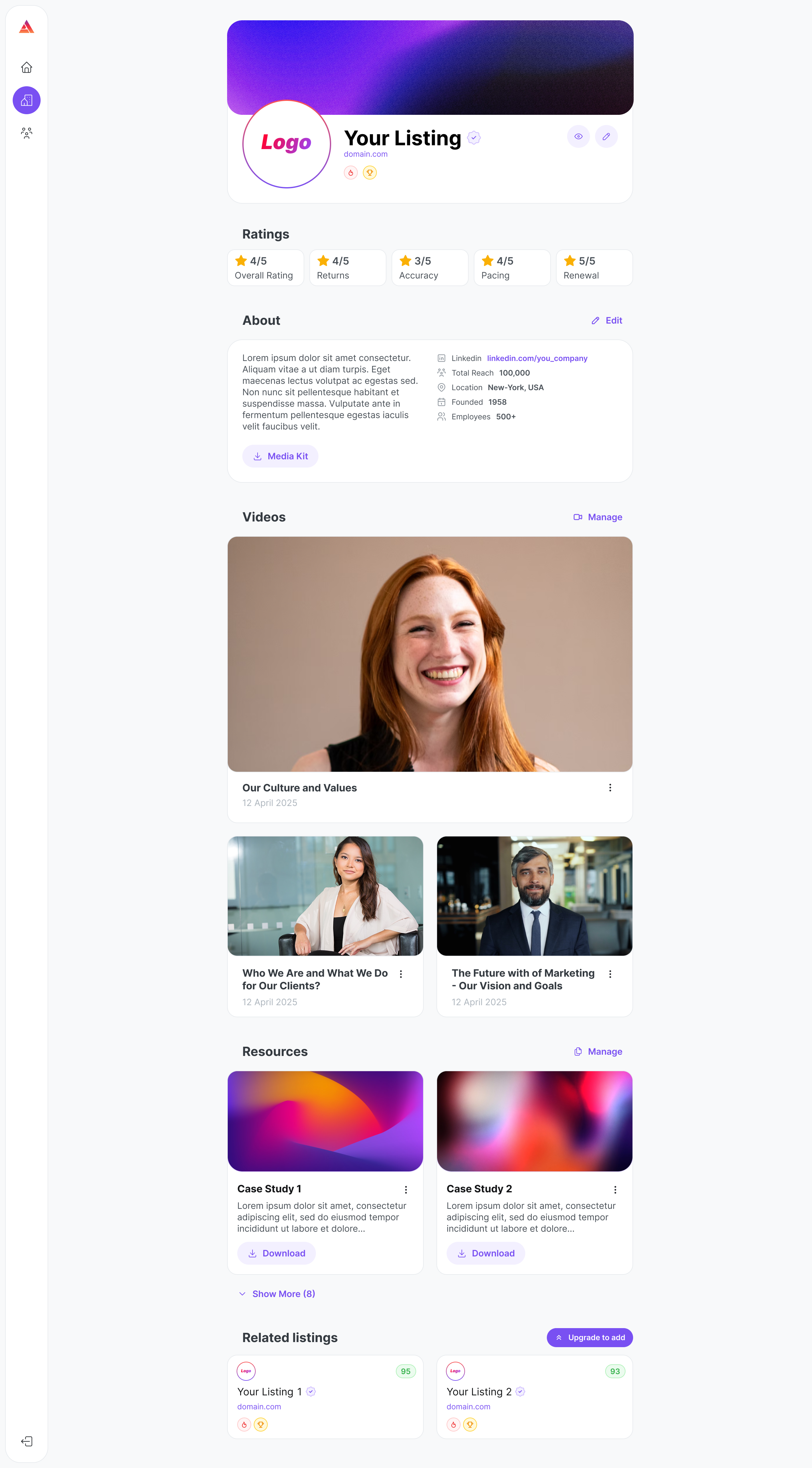
Spotlight pages
The Spotlight page puts everything about a publisher in one place. To open it, click the arrow next to any Listing name.
On a Spotlight page you'll find:
Badges and ratings: the publisher's performance and credibility
Company overview: their mission and market presence
Media kit downloads: their marketing materials
Video testimonials and case studies: real buyer results
Additional Listings: other brands or publications the publisher runs
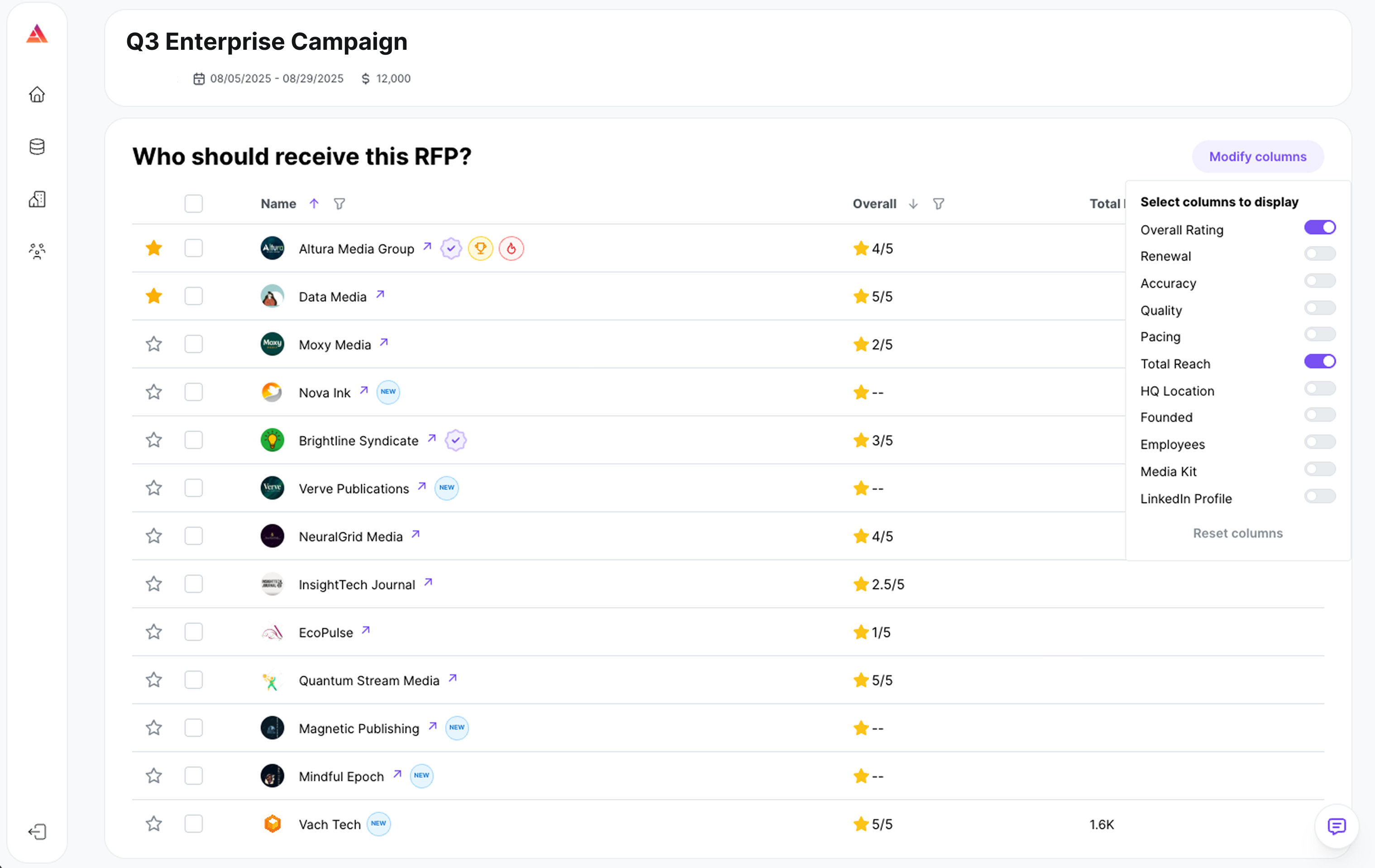
Customizable views
You can choose which details appear next to each Listing on the selection and allocation screens. Show all the data, or just the one or two data points you care about.
Tip: Click Modify Columns to customize your view.
Favorites
Mark the publisher Listings your team wants to work with. Click the ⭐ icon next to a Listing to add it to Favorites. Click it again to remove it.
Favorites help your team:
highlight the Listings it values most
simplify internal reviews and prioritization
update selections at any time