Release Apr 18, 2025
Last updated: October 13, 2026
What this is
Release notes for April 18, 2025. This release adds multiple engagements per lead, so you can capture and analyze more than one interaction from each lead.
Key takeaway: Campaigns can now be multi-touch. In the RFP Builder, set 2 or more gated assets and a minimum and maximum number of engagements per lead. Multi-touch campaigns are priced by cost per engagement (CPE) instead of cost per lead. Single-touch campaigns work as before (the default is 1 engagement per lead).
Note: This note describes the platform on April 18, 2025. For current steps, see Leads data and Lead Validation Rules.
Why it helps
Multi-touch campaigns deliver a series of tailored interactions across assets. This builds stronger connections with potential leads.
Each touchpoint adds data about a lead's behavior and interest.
Seeing how a lead responds to different content shows their preferences and pain points. You can use this to fine-tune messaging and campaign strategy.
Repeated, relevant interactions make a lead more likely to move through the funnel.
RFP Builder changes
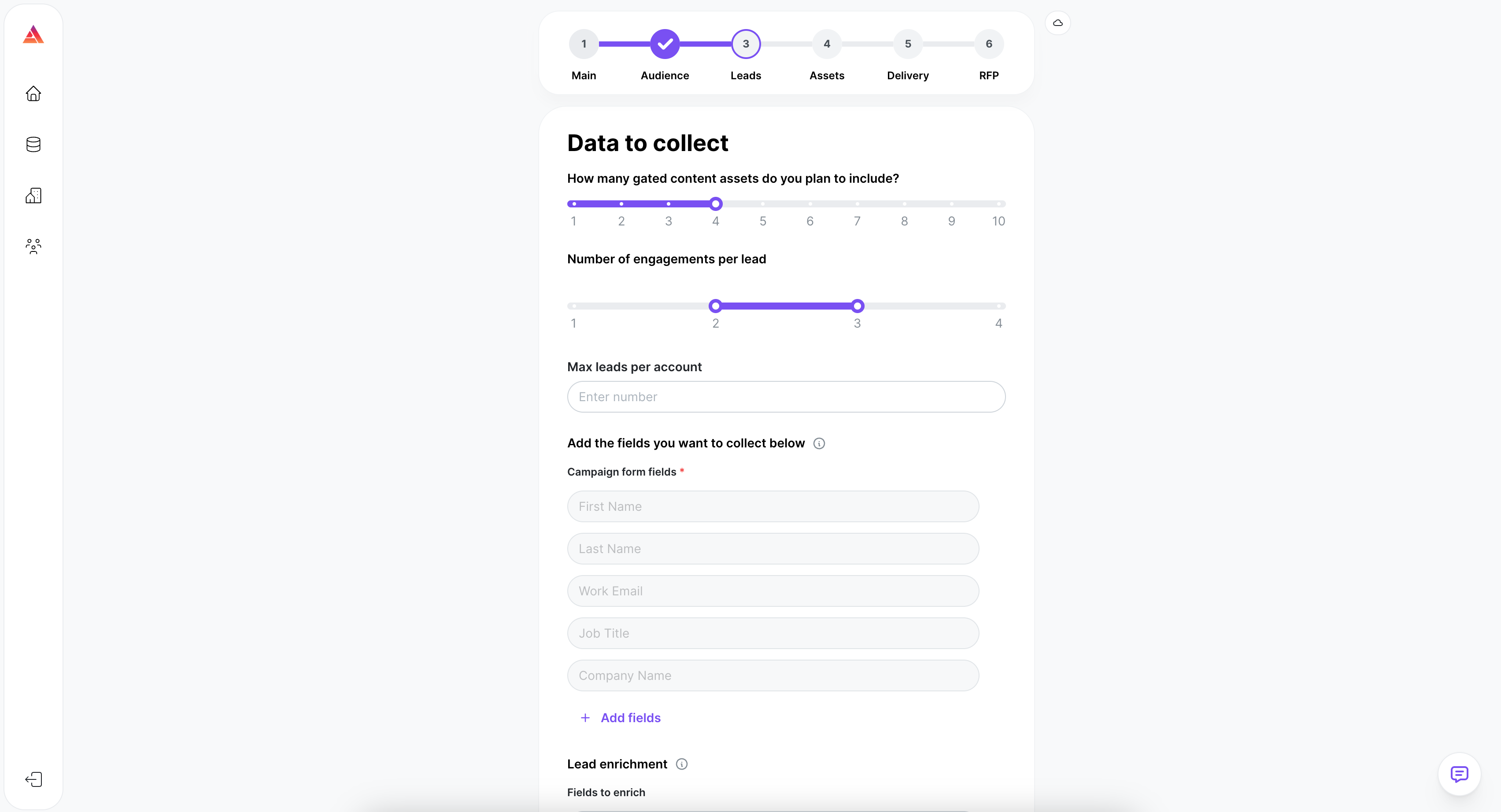
The Leads step of the RFP Builder has two new fields:
How many gated content assets do you plan to include?
Number of Engagements per Lead
Tip: To keep running single-touch campaigns, change nothing. The default is 1 engagement per lead.
For a multi-touch campaign, set both fields:
How many gated content assets do you plan to include? Set this to 2 or more.
Number of Engagements per Lead. Enter a range. The left value is the minimum and the right value is the maximum. - The minimum is the guaranteed number of engagements required. - The maximum is the most engagements allowed per lead during the campaign.
Important: Multi-touch campaigns need at least two content assets to work.
Allocations
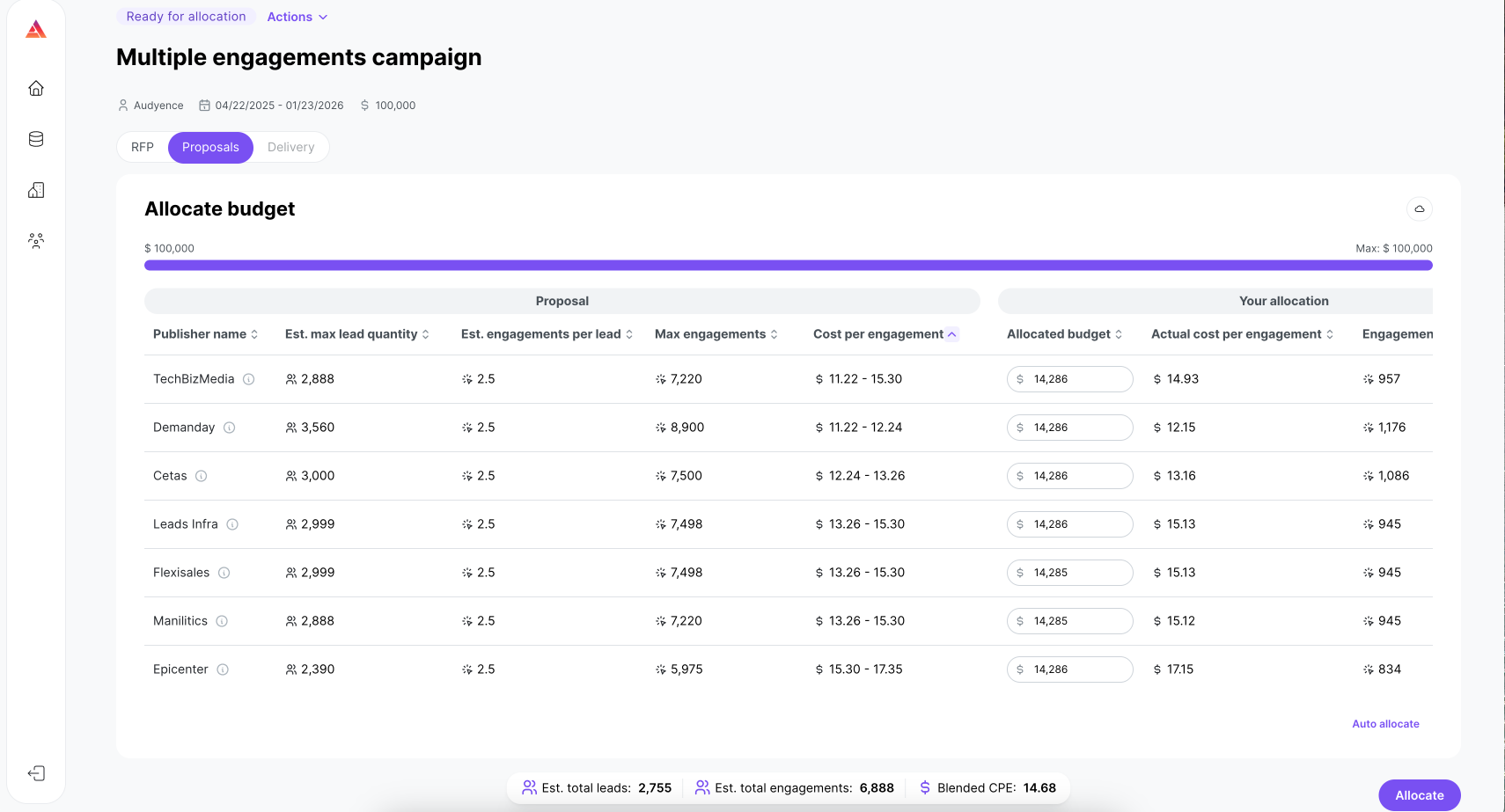
With multiple engagements per lead, pricing is based on cost per engagement instead of cost per lead. This lines up your budget with actual lead activity.
For multi-touch campaigns, the Allocation screen now shows:
estimated lead volume
expected engagements
cost per engagement
Lead delivery
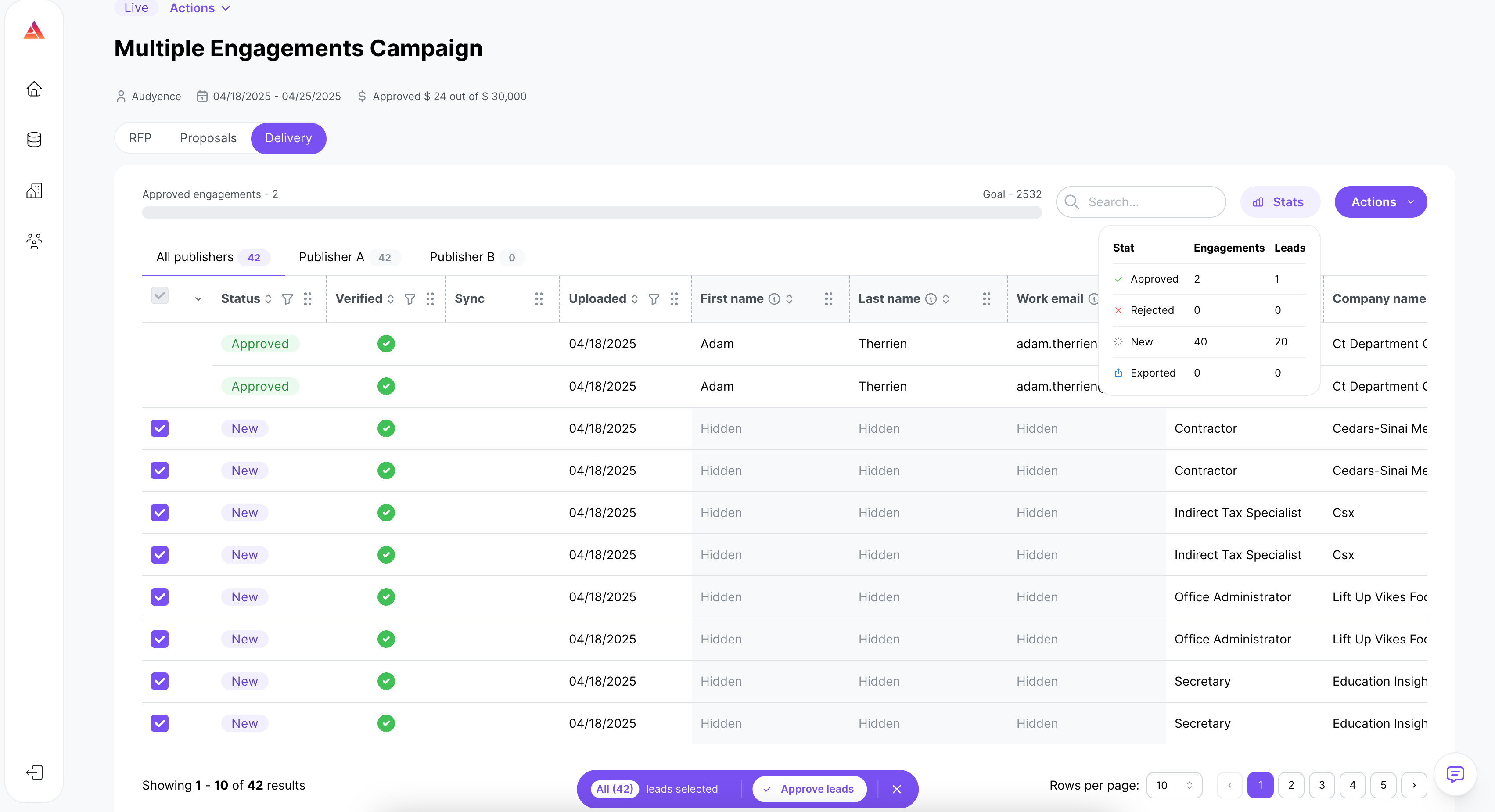
Lead Delivery screen
Each lead now has a separate entry for each asset it converted on.
When you approve or reject an engagement, all later engagements from the same lead are approved or rejected the same way.
Warning: Approving or rejecting one engagement also approves or rejects every later engagement from that lead.
Lead validation rules
Duplicates: a lead is flagged as a duplicate if it engages with the same asset more than once in the same campaign, even through different publishers.
Over the maximum: engagements beyond the maximum are rejected automatically.
Under the minimum: leads with fewer than the minimum engagements are queued until they reach it.
These rules keep data clean, prevent overspending and keep campaign logic consistent across touchpoints.