Allocating Budget to Publishers
Last updated: October 13, 2026
What this is
Once your campaign has publishers to work with (publishers who replied to your RFP on Programmatic Guaranteed, or accepted your deal on a Preferred Deal), the Allocate budget screen is where you decide how your budget is split between them. Audyence can auto-allocate based on each publisher's track record and pricing, and you can fine-tune any publisher's share by hand.
Key takeaway: Start with auto-allocation, then adjust. Each publisher's share must stay between their min and max response, and budgets round down to whole leads, so a small gap under your budget is normal. On Preferred Deals, free value-add leads bring your Effective CPE below your Fixed CPE.
Note: Your budget is shown as lead volume. Every dollar you allocate to a publisher buys a number of leads at that publisher's cost per engagement (CPE).
What you see on this screen
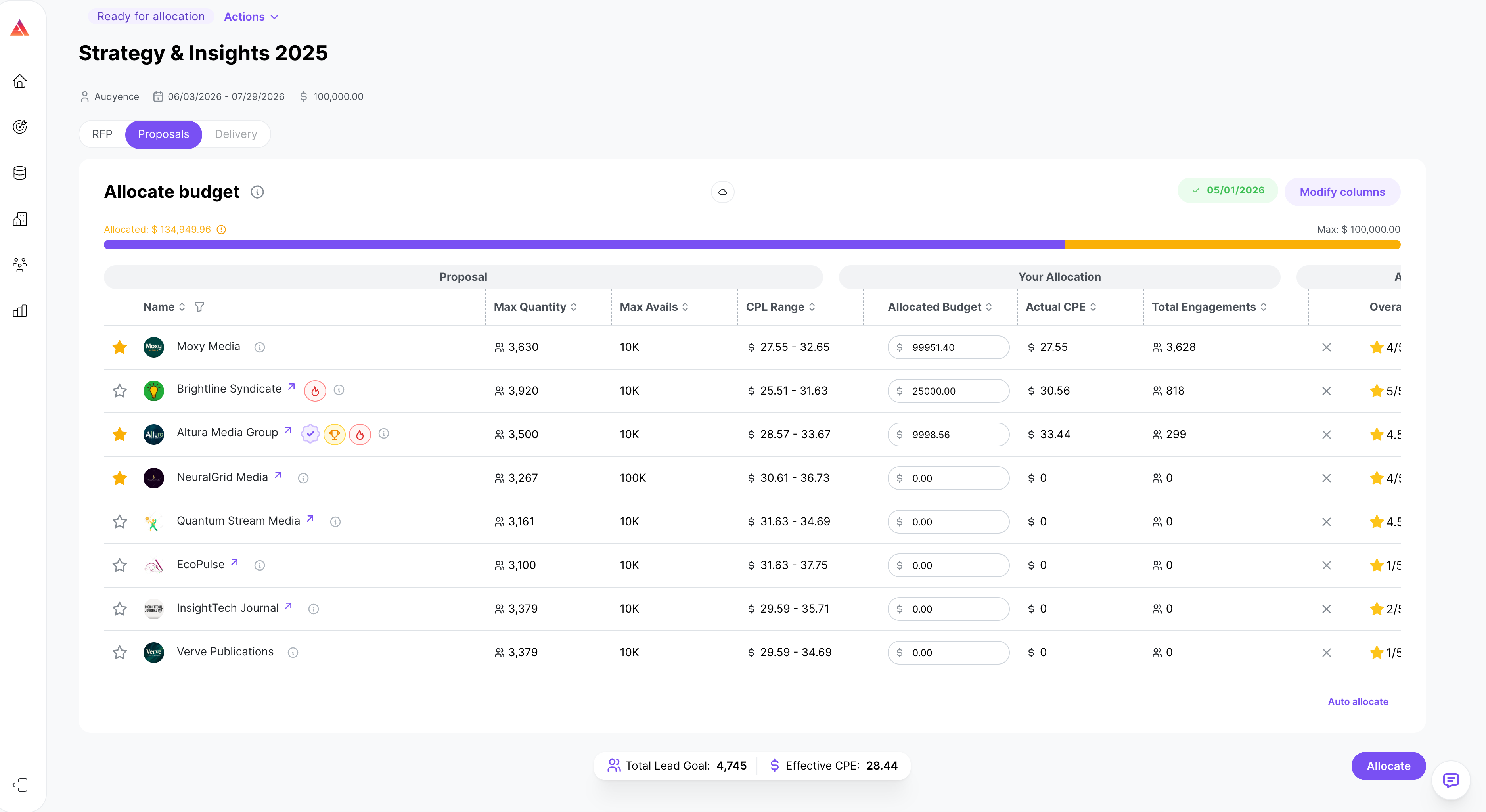
Allocated amount and progress bar: how much of your total budget is placed with publishers so far.
Publisher table: one row per publisher, with pricing, reach, and the volume allocated to each.
Summary footer: your Total Lead Goal, the Fixed CPE, and the Effective CPE for the campaign.
How allocation works
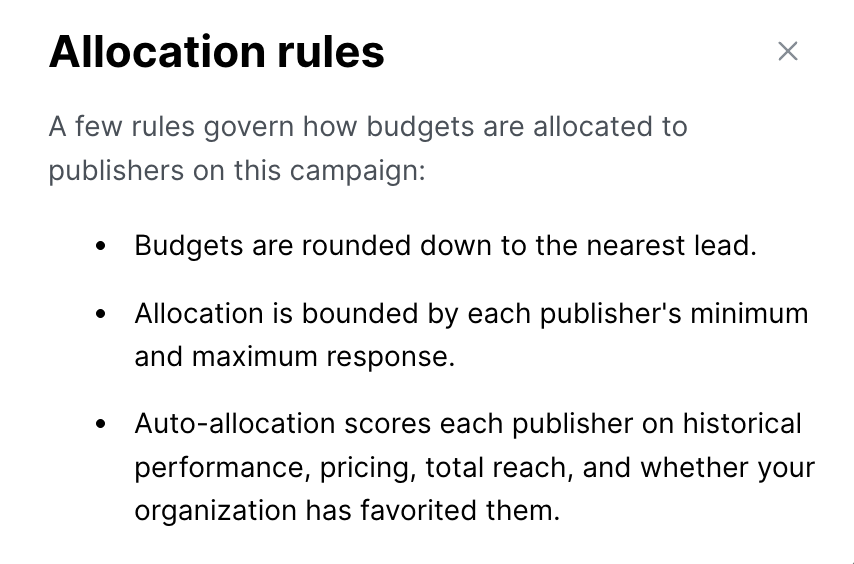
Budgets round down to whole leads. You can't buy part of a lead, so each allocation is trimmed to a whole number. That's why the allocated total can end up slightly under your exact budget.
Each publisher has a min and max response. Every publisher has a floor (the smallest volume they'll take) and a ceiling (the most they can deliver: their maximum availability, or "max avails"). Auto-allocation never goes below the floor or above the ceiling.
Auto-allocation scores each publisher on past performance, pricing, total reach, and whether your organization has favorited them (the star).
Value-add leads are a percentage of paid leads. On Preferred Deals, you get extra leads on top of what you pay for. Programmatic Guaranteed campaigns don't include value-add.
Tip: If your allocated total ends up just under budget, that's the round-down rule. Move the remainder to a publisher with room under its max.
Reading the publisher table
Element | What it means |
|---|---|
Favorite star | Marks a publisher your organization trusts. Favoriting feeds auto-allocation and leans budget toward that partner. |
Name and verified badge | The publisher, with a badge if verified. |
Actual CPE | The CPE used for that publisher's allocation. On a Preferred Deal it equals the campaign's Fixed CPE. On Programmatic Guaranteed it's the publisher's own price. |
Total engagements | The engagement volume allocated to that publisher. |
Min / max response | The floor and ceiling on how many leads that publisher can take. |
The footer rolls the whole campaign up into your Total Lead Goal, Fixed CPE, and Effective CPE.
Preferred Deal vs. Programmatic Guaranteed
Audyence has two ways to buy, and they price and reward differently.
Preferred Deals | Programmatic Guaranteed | |
|---|---|---|
Pricing | Fixed CPE, agreed upfront and protected from publisher price changes. The same price across all publishers. | Set by each publisher through proposals. May vary. |
Value-add | A guaranteed percentage of free leads on every campaign. | None. You pay for exactly the leads you buy. |
How publishers take part | They accept or reject an allocated bid. There's no proposal round. | They reply to your RFP with proposals (price and committed volume), and you choose who runs it. |
Allocation | Automatic across the best-performing publishers. Favorites get more weight. | Manual: you choose publishers and split the budget for each campaign. |
Commitment | A spend commitment for a set period, tracked across your company. | None. Campaign by campaign. |
Best for | Cost certainty, less day-to-day work, and consistent value across many campaigns, brands, or regions. | Campaigns outside Preferred Deal limits (custom lead questions, very narrow audiences), or hands-on control of each publisher's budget. |
On a Preferred Deal, your Effective CPE is lower than the Fixed CPE because value-add is included. On Programmatic Guaranteed, it equals the actual price paid.
Tip: On a Preferred Deal, an Effective CPE below your Fixed CPE means value-add is working for you: more total leads for the same spend.
Best practices
Start with auto-allocation, then fine-tune. Let the scoring do the first pass, then adjust individual publishers where you have a reason to.
Prefer higher max avails when publishers are otherwise similar. A higher ceiling fills your goal more reliably, lets you focus volume on proven partners, and leaves room if you add budget or reallocate later. Tight ceilings fill up quickly and can leave budget unplaced.
Favorite the publishers you trust. The star feeds auto-allocation, so budget leans toward the partners your organization already values.
Watch the Effective CPE. On Preferred Deals, value-add leads bring your effective cost per lead below the Fixed CPE.
Match the allocated total to your budget. A small gap is the round-down rule. Move the remainder to a publisher that still has room under its max.
What the numbers mean
Show definitions
Field | Definition |
|---|---|
CPE (Cost Per Engagement) | The price you pay per qualified engagement/lead. |
Fixed CPE | On a Preferred Deal, the agreed price per lead that applies to every publisher on the campaign. |
Actual CPE | The CPE used for a given publisher's allocation. On PD it equals the Fixed CPE. On PG it's that publisher's own market price. |
Effective CPE | Your true cost per lead once value-add leads are included: allocated budget divided by your Total Lead Goal. Lower than the Fixed CPE whenever value-add applies. |
Max avails (maximum response) | The most leads a publisher can deliver for this campaign: the ceiling on how much you can allocate to them. |
Min response | The fewest leads a publisher will accept: the floor on an allocation. |
Value-add leads | Extra leads at no extra cost on Preferred Deals, calculated as a percentage of your paid leads. |
Total Lead Goal | The total number of leads your allocated budget buys across all publishers, including value-add leads on a Preferred Deal. |