Client Management
Last updated: October 13, 2026
What this is
Client management is only for agency users. It lets your agency:
Create client profiles for each client. Profiles include brand and asset libraries, consent and privacy language, PII management, and more.
Give clients access to a lead dashboard. Clients get their own sign-in to see leads and campaign progress. You can also let them approve leads.
Key takeaway: Create a client profile in the client management section (or with Add a client on the RFP form). Adding the client's email invites them to the lead dashboard. In the profile you choose whether your agency or the client approves leads, and whether personal information (PII) is hidden.
Create a client profile
You create client profiles in the client management section of the Audyence platform.
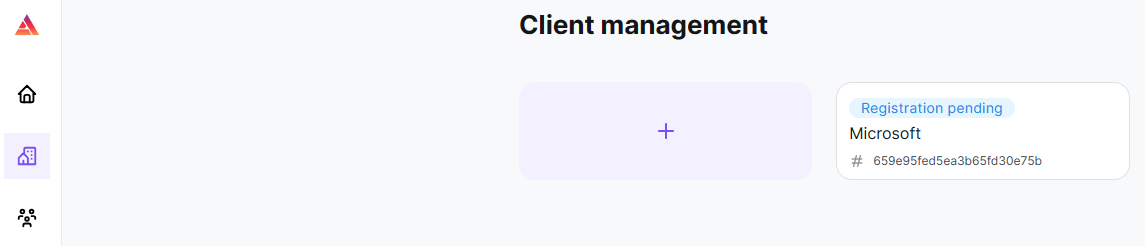
Click the + button to create a new profile.
Tip: You can also create a client profile while building a campaign, with the Add a client option on the RFP form.
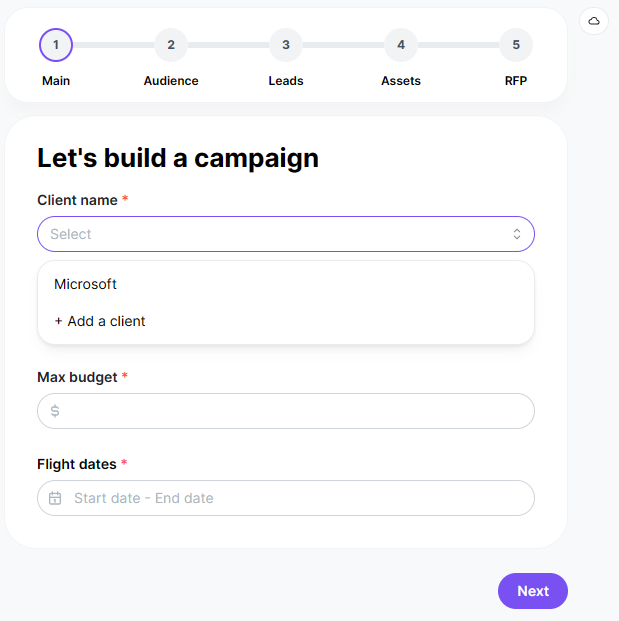
A client profile pop-up opens:
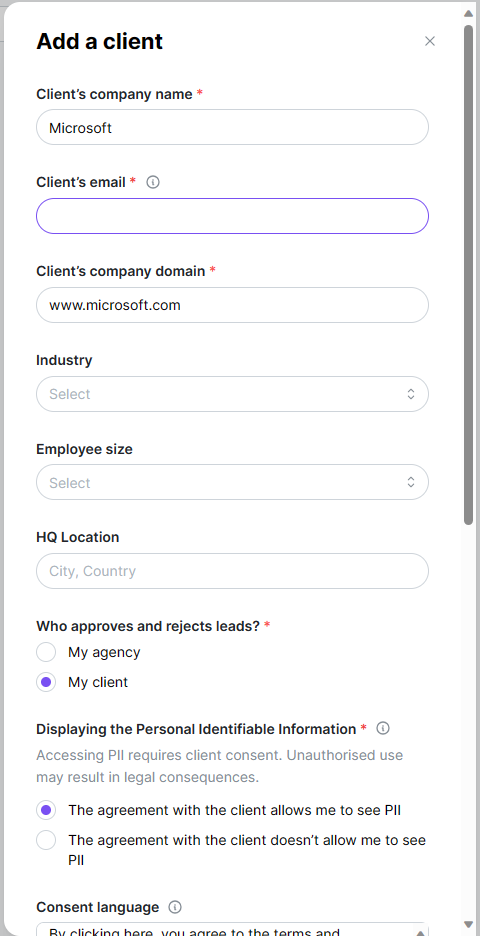
Fill in the profile fields. Some are required. A few important settings are here too:
Setting | What it does |
|---|---|
Client email | Every client gets access to the Audyence lead dashboard. Adding the client's email sends them an invite to sign up for it (see Client sign-up and lead dashboard below). |
Lead approval configuration | Choose whether your agency or your client approves leads. Set this based on your agreement with the client. |
PII display | Hides sensitive personal information in the lead dashboard. |
After you save the profile, you can edit it any time: click the client's card and update the profile section.
Client sign-up and lead dashboard
When you invite a client to sign up on Audyence, their sign-up status shows on their card:
The client gets an email invite:
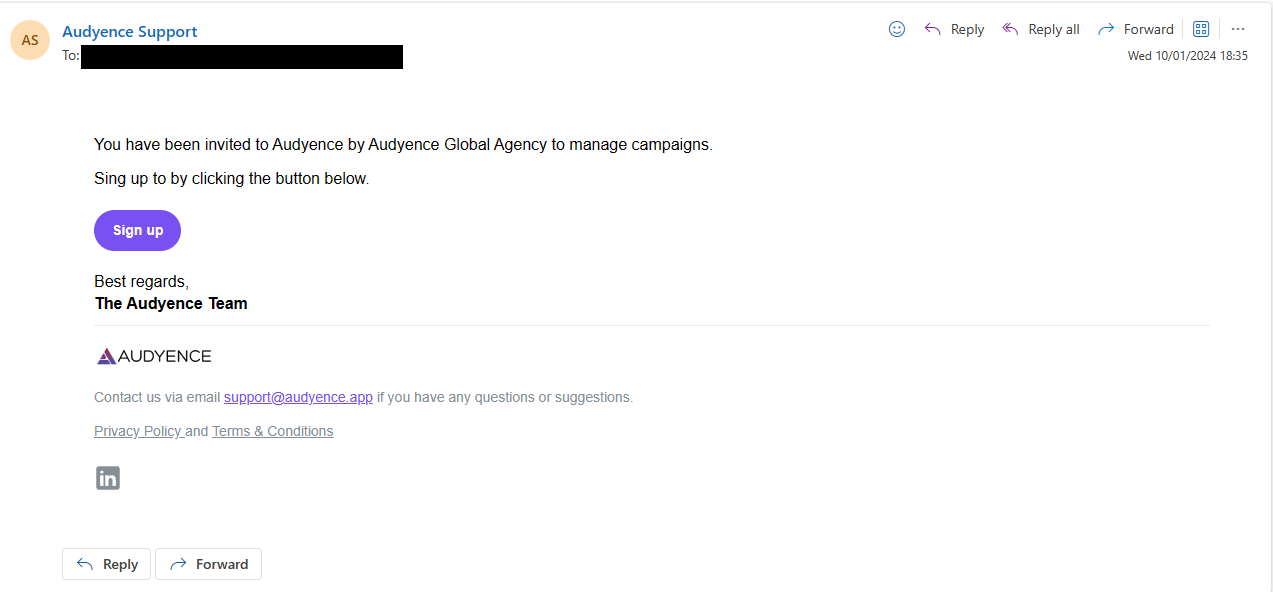
When they click the sign-up button, they're taken to create a profile on the Audyence platform:
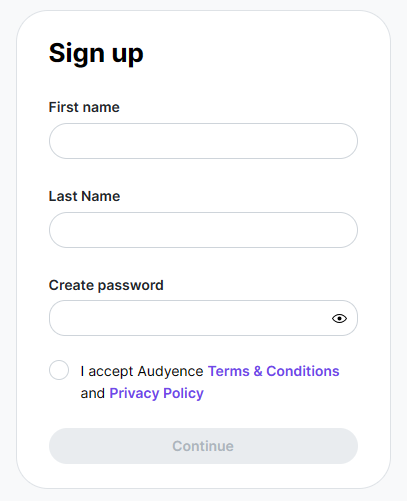
After signing up, they land on the lead dashboard:
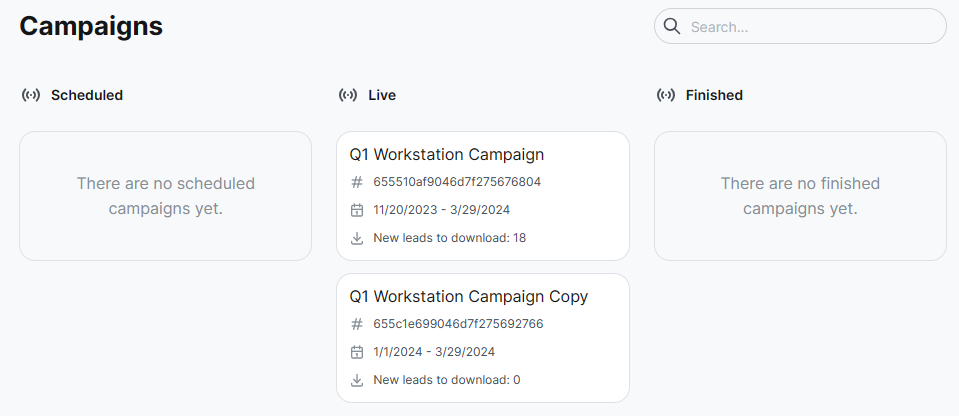
When the client clicks a campaign card, they can see the leads and their status, and export them.
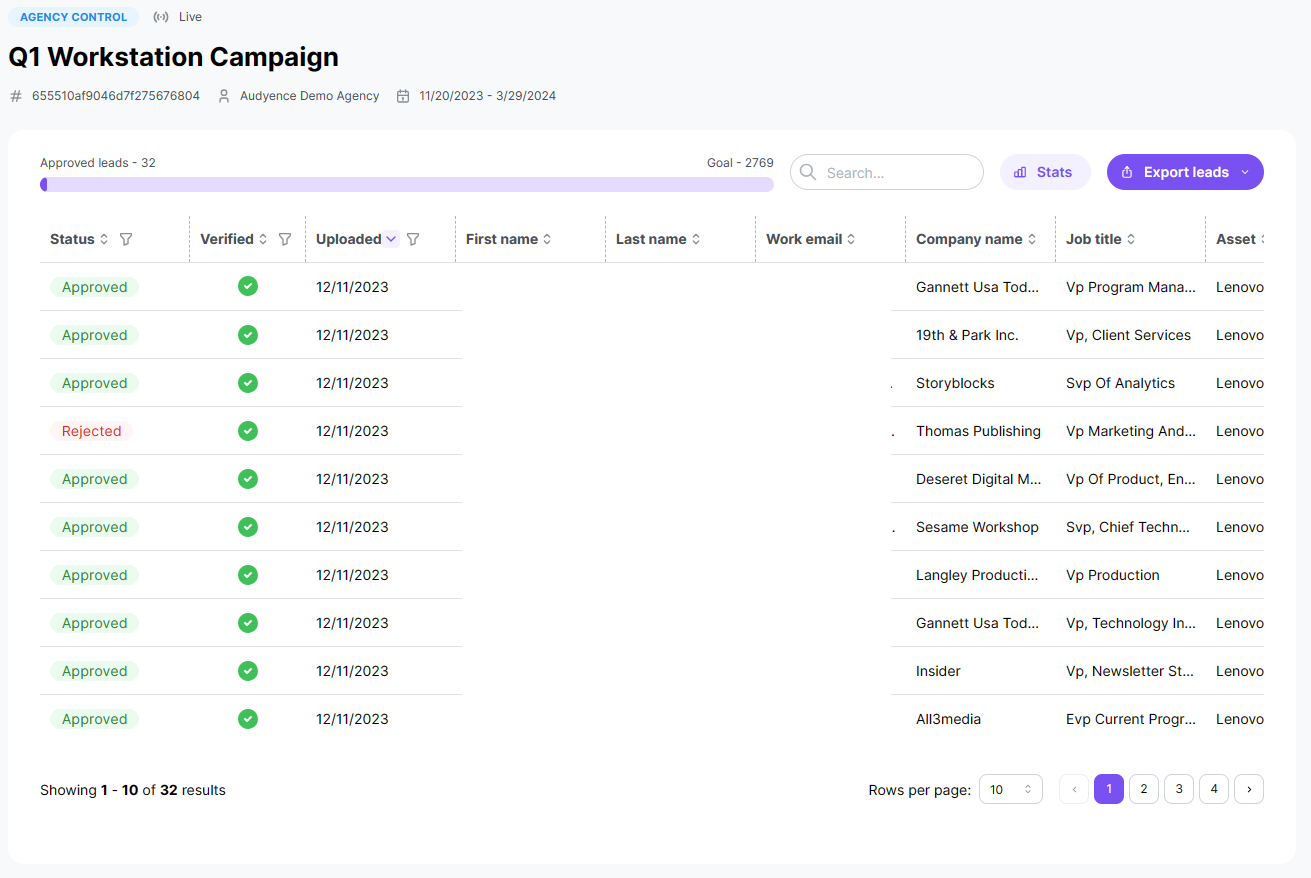
Note: If your agency gave the client approval rights, they can also approve leads.
Updating the client contact and email
To change a client's email, edit their profile and change the email.
Important: The platform currently allows one account per client.
Warning: Changing the client's email revokes their access and restarts the client sign-up process.