Overview — end-to-end walkthrough
Last updated: October 13, 2026
What this is
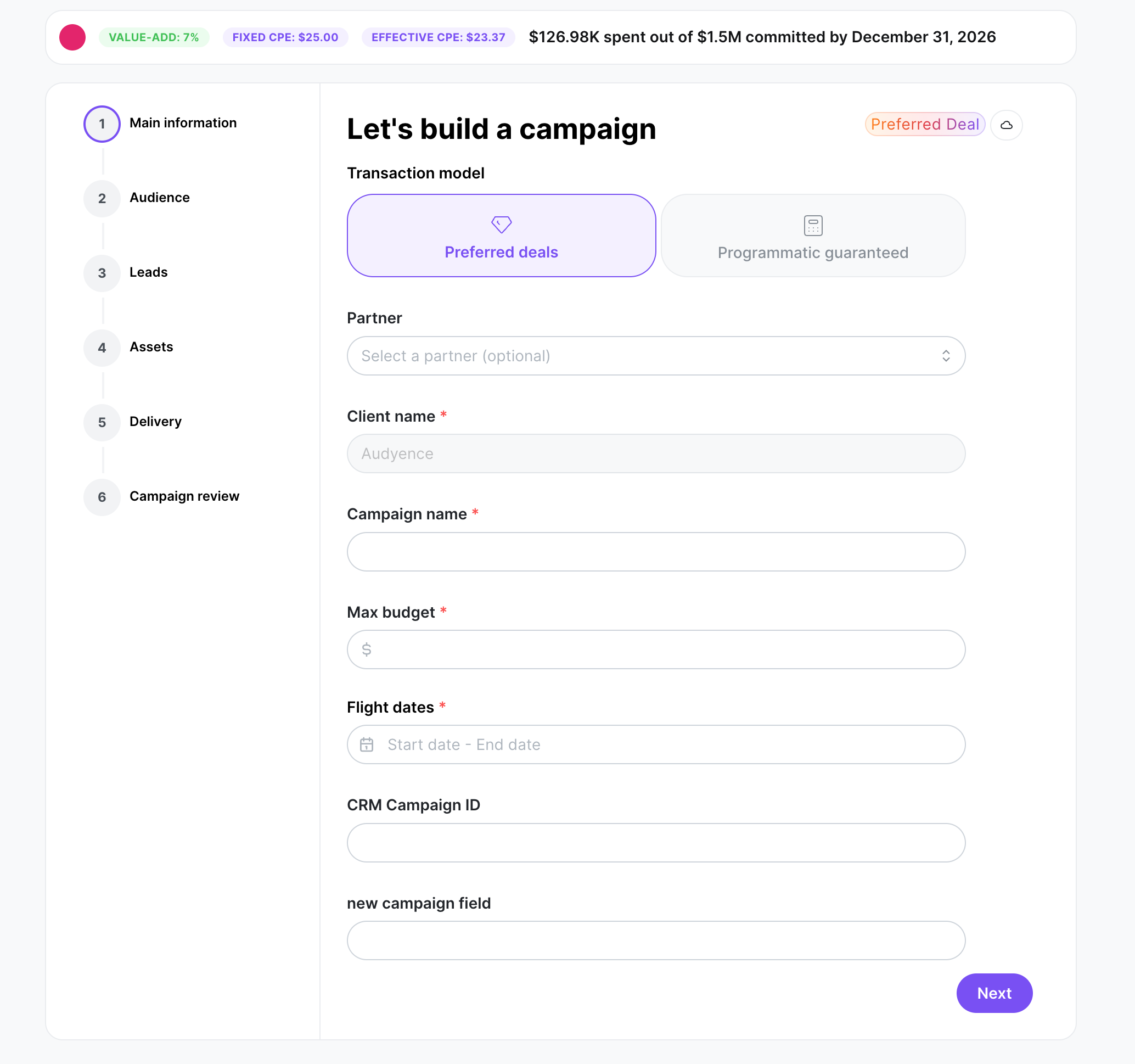
This walkthrough is for advertisers and agencies setting up a lead generation campaign. It follows a campaign from the moment you click New Campaign to your first delivered leads, so you know what each step does and what it asks you to decide.
In Audyence you build, launch, and manage B2B lead generation campaigns from one workspace. You define who you want to reach, what a qualified lead looks like, and how much you want to spend. The platform then matches your campaign to publishers who deliver the leads.
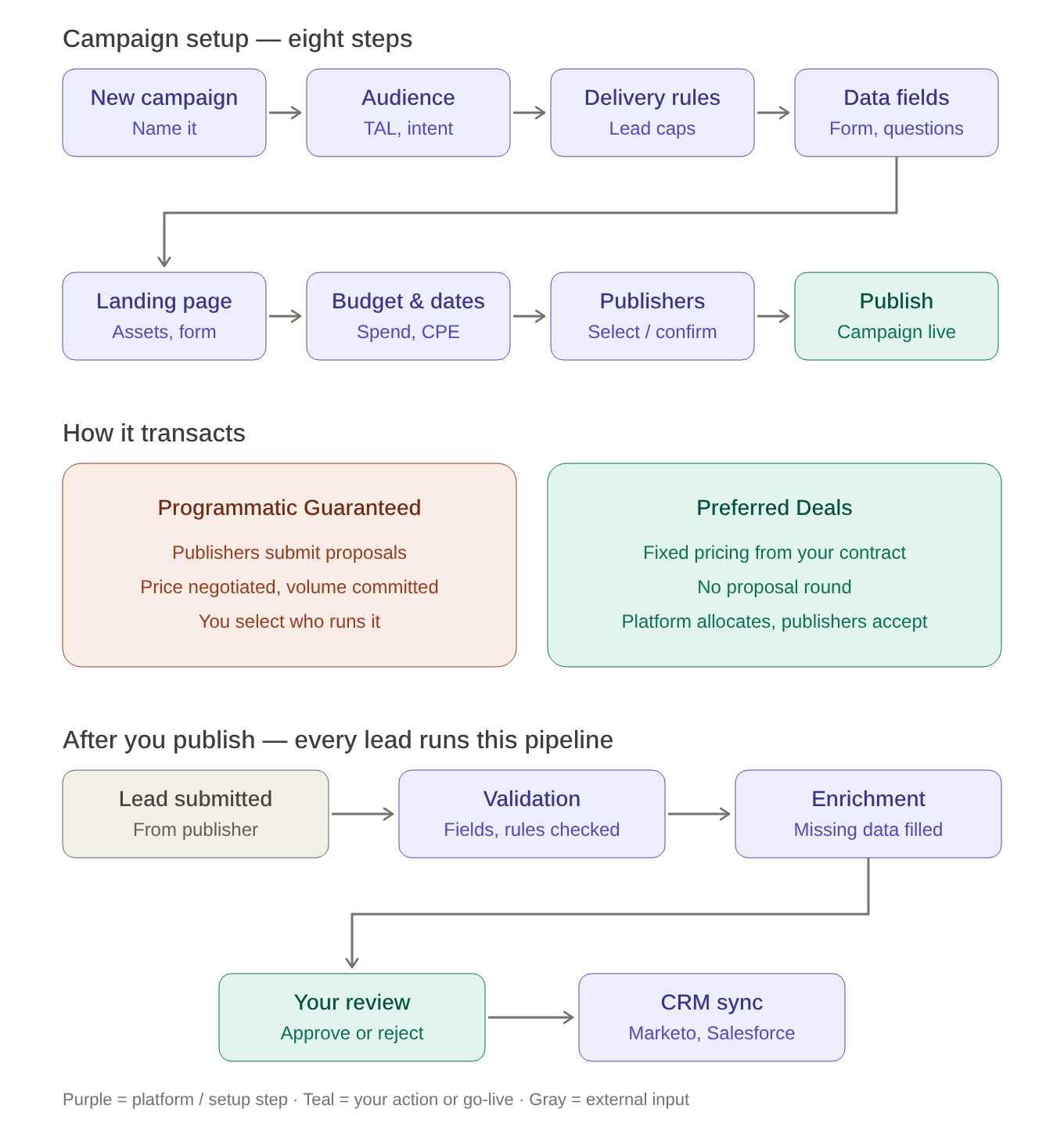
Key takeaway: Setup has eight steps: name, audience, delivery rules, data to collect, landing page, budget and pricing, publishers, and publish. Nothing is final until you publish. After that, every lead is validated and enriched before you review and approve it.
Two ways a campaign is bought
The platform sends you down the right path automatically:
Preferred Deals | Programmatic Guaranteed | |
|---|---|---|
Pricing | Fixed CPE, agreed upfront and protected from publisher price changes. The same price across all publishers. | Set by each publisher through proposals. May vary. |
Value-add | A guaranteed percentage of free leads on every campaign. | None. You pay for exactly the leads you buy. |
How publishers take part | They accept or reject an allocated bid. There's no proposal round. | They reply to your RFP with proposals (price and committed volume), and you choose who runs it. |
Allocation | Automatic across the best-performing publishers. Favorites get more weight. | Manual: you choose publishers and split the budget for each campaign. |
Commitment | A spend commitment for a set period, tracked across your company. | None. Campaign by campaign. |
Best for | Cost certainty, less day-to-day work, and consistent value across many campaigns, brands, or regions. | Campaigns outside Preferred Deal limits (custom lead questions, very narrow audiences), or hands-on control of each publisher's budget. |
Note: Most of setup is the same either way. Where a step works differently, it's called out below.
Before you start
Have these ready so you can move quickly:
Your target account list (TAL): the companies you want to reach, or the company and intent criteria that define them.
Your budget and target lead volume: how much you want to spend and how many leads you expect.
Your lead requirements: the fields and any qualifying questions a lead must meet to count.
Creative assets: content offers (whitepapers, guides, reports) and any brand assets for your landing page.
The walkthrough
Step 1: Start a new campaign
In your campaign list, select New Campaign.
Give the campaign a name.
You and your team use the name to find the campaign in the dashboard, reporting, and lead views, so make it descriptive (for example, "Q3 Cloud Security — North America").
Tip: You can edit campaign details as you go. Nothing is final until you publish.
Step 2: Define your audience
Tell the platform who to target. You can:
Upload or build a Target Account List (TAL): the specific companies you want leads from.
Add firmographic criteria: industry, company size, revenue, and geography.
Add intent signals (through the 6sense integration) to put accounts showing buying behavior first.
The size and detail of your audience directly affects how many leads are realistically available.
Step 3: Set your delivery rules
Define what "delivery" means for this campaign:
Lead cap per account: the most leads you'll accept from any one company. A higher cap focuses delivery on fewer companies. A lower cap spreads it wider.
Engagements per lead: how many qualified touch points (engagements) a lead can include, and the minimum needed to count. Audyence prices and paces on engagements, so this setting affects both cost and volume.
Step 4: Choose the data to collect
Choose what information each lead must include. Fields come in three types:
Form fields: what the lead sees and fills in on your landing page (for example, name, work email, company, job title).
Custom questions: qualifying questions for this campaign that you add to the form (single choice or multi-select). They help confirm a lead meets your criteria.
Required enrichment: data required on every lead but not asked of the lead (for example, verified phone or email, company details). Audyence fills in and checks these behind the scenes.
Important: Keep the form short. Every extra field a lead has to fill in lowers completion rates.
Step 5: Build your landing page
Your landing page hosts the content offer and captures the lead.
Upload your assets.
Audyence generates landing page options for you to review and refine.
Select and save the version you want before you move on.
Your form fields, custom questions, and consent language carry over automatically.
Step 6: Set budget, pricing, and duration
Budget: your total spend for the campaign.
Pricing (CPE): cost per engagement. On Preferred Deals it's fixed by your contract. On Programmatic Guaranteed it's set through publisher proposals.
Duration: your campaign start and end dates.
Important: Audyence prices per engagement (CPE), not per lead. An engagement is one time a lead engages with a piece of your gated content. A single-touch lead (one engagement) costs about one CPE. A multi-touch lead that needs three engagements costs about three times the CPE.
Budget, target lead volume, pricing, and duration work together. A large volume goal in a short window at a fixed price is harder to deliver than the same goal over a longer window.
Step 7: Confirm publishers and allocation
Audyence matches your campaign to the publishers best placed to deliver it:
On Programmatic Guaranteed, publishers get your campaign and send proposals with their price and committed volume. You review the proposals and choose which publishers run the campaign.
On Preferred Deals, the platform splits volume across eligible publishers at your fixed price and sends each one a bid to accept or reject. There's no proposal round.
Either way, at the end of this step you know which publishers are delivering and how volume is split between them.
Step 8: Publish
Publishing puts your campaign live:
On Programmatic Guaranteed, it opens the campaign to publisher proposals.
On Preferred Deals, it sends bids to publishers and locks in the allocation.
Warning: Publishers are notified right away, by email and in the app, so they can respond quickly. Check your setup before you publish.
After you publish
Leads start flowing
As publishers deliver, every lead goes through the platform automatically:
Validation: each lead is checked against your form fields, custom questions, and any allowed-value rules. Leads that fail are rejected with a specific reason.
Enrichment: missing required data is filled in and checked before the lead reaches you.
Delivery: valid, enriched leads land in your campaign, ready for review.
Review and approve leads
Delivered leads go into a review window before they're final. You can inspect leads, confirm they meet your criteria, and approve or reject them. Approved leads move on to your connected systems (for example, Marketo and Salesforce).
Track and adjust
On the campaign dashboard you can track pacing against your goal, see performance by publisher, and compare delivered volume with budget.
Tip: If a campaign is falling behind, you can adjust budget and publisher allocation to keep delivery on track toward your target.
Setup at a glance
Step | You decide | The platform |
|---|---|---|
1. New campaign | Name and basics | Creates the campaign record |
2. Audience | TAL, firmographics, intent | Estimates reachable volume |
3. Delivery rules | Lead cap, engagements | Applies limits to delivery |
4. Data to collect | Form fields, custom questions | Sets validation and enrichment |
5. Landing page | Assets and copy | Generates and hosts the page |
6. Budget and pricing | Budget, CPE, duration | Works out volume and pace |
7. Publishers | Select (PG) / confirm (PD) | Matches and allocates |
8. Publish | Go live | Notifies publishers |
After | Review and approve leads | Validates, enriches, delivers |
Key terms
Show key terms
TAL (Target Account List): the companies your campaign targets.
CPE (Cost Per Engagement): what you pay per qualified engagement.
Engagement: a qualified touch point on a lead. A lead can carry more than one, up to your set maximum.
Programmatic Guaranteed (PG): publishers propose price and committed volume, and you choose them.
Preferred Deals (PD): fixed contract pricing. Publishers accept or reject an allocated bid.