Content Assets and Creative
Last updated: October 13, 2026
What this is
Your content is the offer at the heart of your campaign. In B2B lead generation, people share their details in exchange for something valuable, such as a report, a guide, or a webinar. That content is what makes the right person become a lead.
The Campaign assets step is where you provide that content, the creative that brands it, and the consent language your leads see.
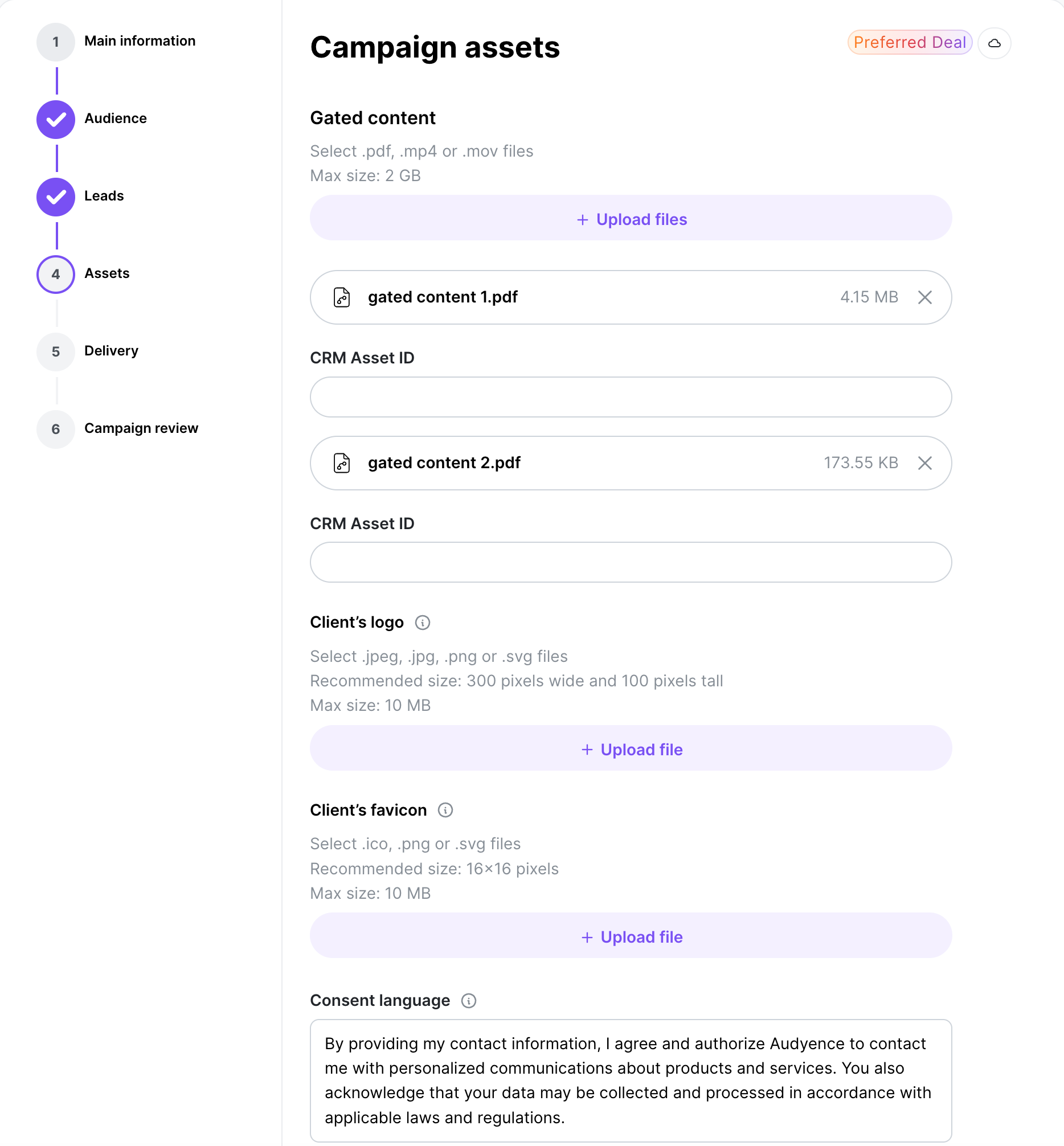
Key takeaway: On this step you upload four things: gated content, client's logo, client's favicon, and consent language. Your logo, favicon, and consent language are saved and added to every new RFP automatically. Your assets then become your branded landing page.
What you provide on this step
Part | What it is | Accepted formats | Size |
|---|---|---|---|
Gated content | The material your audience gets in exchange for their details. | .pdf, .mp4, or .mov | Max 2 GB. You can upload more than one file. |
Client's logo | Your brand logo, used on the landing page. | .jpeg, .jpg, .png, or .svg | Recommended 300 pixels wide by 100 pixels tall. Max 10 MB. |
Client's favicon | The small icon in the browser tab. | .ico, .png, or .svg | Recommended 16 by 16 pixels. Max 10 MB. |
Consent language | The statement leads agree to when they submit the form. | Text | — |
Gated content
This is your offer: the "gated" content a prospect unlocks by filling in the form. It's the most important factor in who engages and how well your campaign performs.
Use it for whitepapers, eBooks, analyst reports, case studies, or webinar and video recordings.
Tip: Choose content that speaks directly to your audience's priorities. A relevant, self-contained offer attracts the right leads. A generic one attracts fewer leads, and lower-quality ones. Make sure the title and description match the content, so people know what they're getting.
Client's logo
Your logo brands the landing page so it's clearly yours. That builds trust and helps more people complete the form.
Upload a clean, high-resolution version at the recommended size (300 × 100 pixels) so it displays sharply without stretching.
Client's favicon
The favicon is the small icon shown in the browser tab when someone visits your landing page. It's a small detail that makes the page look polished and trustworthy.
Consent language
The consent language is the statement your leads agree to when they submit the form. It allows follow-up communication and explains how their data is handled.
Audyence gives you example consent language to start with. You can keep it or replace it:
By providing my contact information, I agree and authorize {Company name} to contact me with personalized communications about products and services. You also acknowledge that your data may be collected and processed in accordance with applicable laws and regulations.
The system fills in your company name in place of {Company name} automatically. You can update your company name in Brand info.
Important: If your company has its own privacy and compliance wording, edit the text to match before you continue.
Tip: Set once, reused everywhere. Every new RFP you create automatically includes your uploaded logo, favicon, and consent language.
From assets to a landing page
The content, branding, and consent language you provide here are applied automatically to your campaign landing page: the page that hosts your offer and captures leads. You don't need to design a page from scratch. Your assets become a ready-to-use, branded page that you can review and refine before it goes live.
Generating, editing, and selecting your landing page is covered in Generate Landing Pages for Your Campaigns.
Tips
Start with your audience's problem, not your product. Offers built around a challenge convert better.
Keep your gated content's title and description short and specific. Vague offers get skipped.
Upload your logo at the recommended 300 × 100 size so it displays cleanly.
Check the consent language against your own compliance requirements before you move on.