Target Audience
Last updated: October 13, 2026
What this is
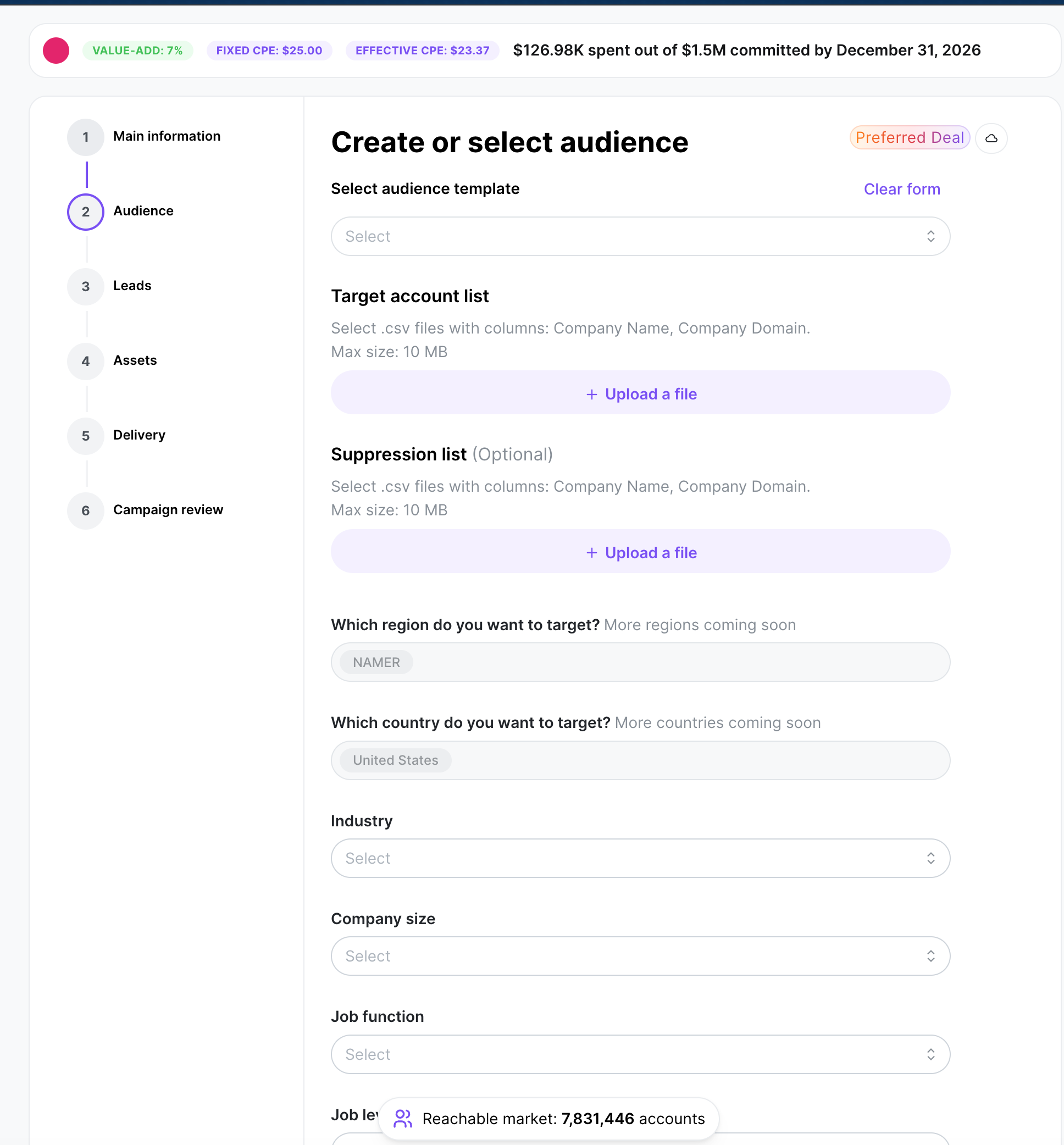
Your target audience is who you want to reach with a campaign. It drives everything that follows: the companies and people your campaign targets, which publishers Audyence can match you with, and how many leads you can realistically expect.
Key takeaway: Getting your audience right is the biggest single factor in a campaign that delivers. Build it from a target account list, firmographic and lead criteria, intent topics, a saved audience, or a connected data source like 6sense or Demandbase, and combine them as needed. A very narrow audience limits how many leads are available.
Note: This article explains what a target audience is and the ways to build one. Setting up each data source is covered in its own article (see Related articles).
What is a target audience?
A target audience is the set of companies (and the people in them) you want your campaign to generate leads from. You describe it once during campaign setup. Audyence uses it to find and validate the right leads across its publisher network.
You can build your audience in several ways, and combine them:
A target account list (TAL): your own list of companies to reach.
Firmographic criteria: details like industry, company size, revenue, and geography.
A saved audience: an audience you've already built and reused across campaigns.
A connected data source: company lists and intent segments brought in through an integration with a tool you already use.
Building your audience
Target account list (TAL)
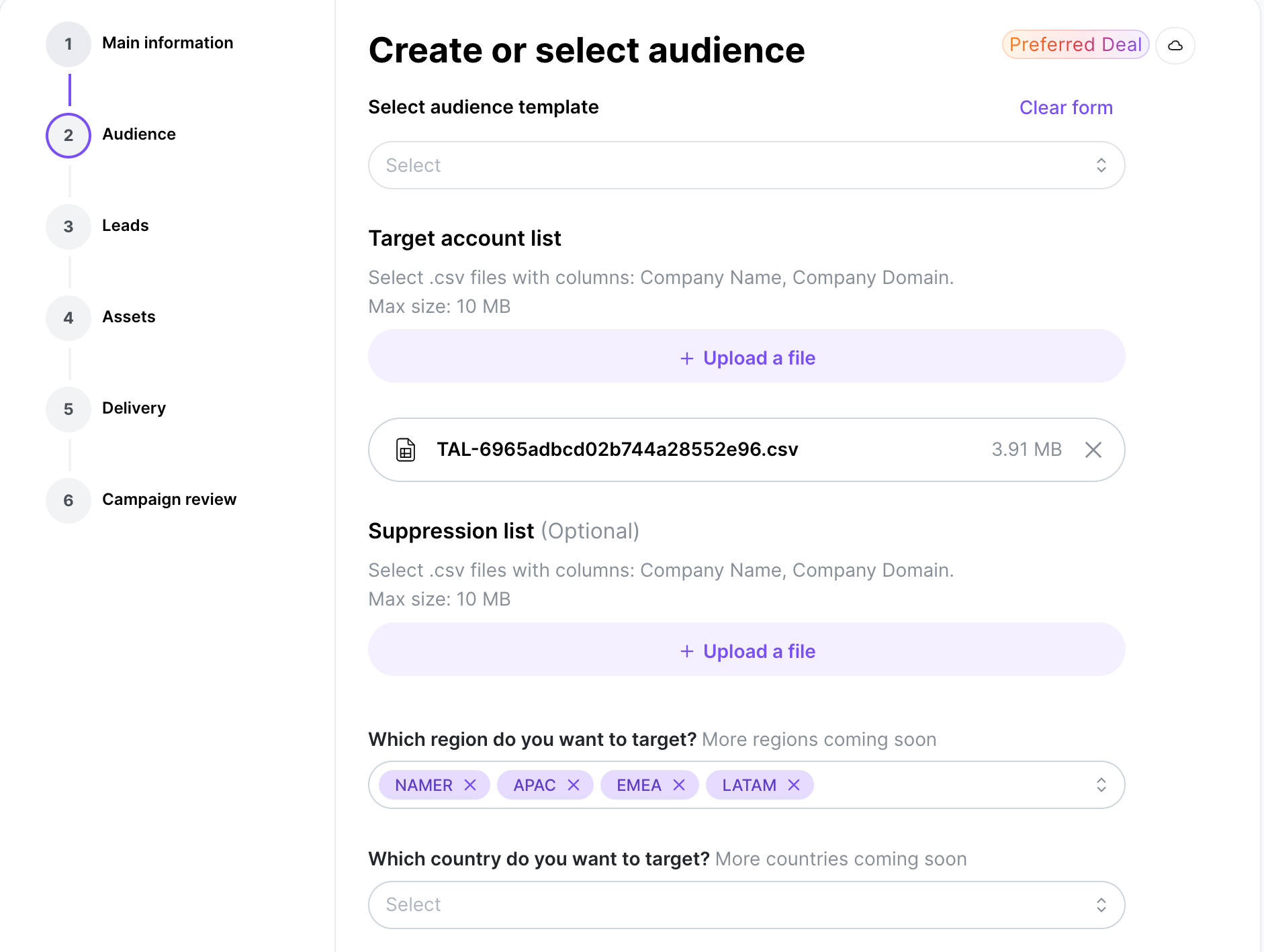
The most direct way to define an audience is to bring your own list of target companies: the ones you most want to win. Audyence focuses delivery on the companies you provide, so your leads come from the companies that matter to your goals.
Firmographic and lead criteria
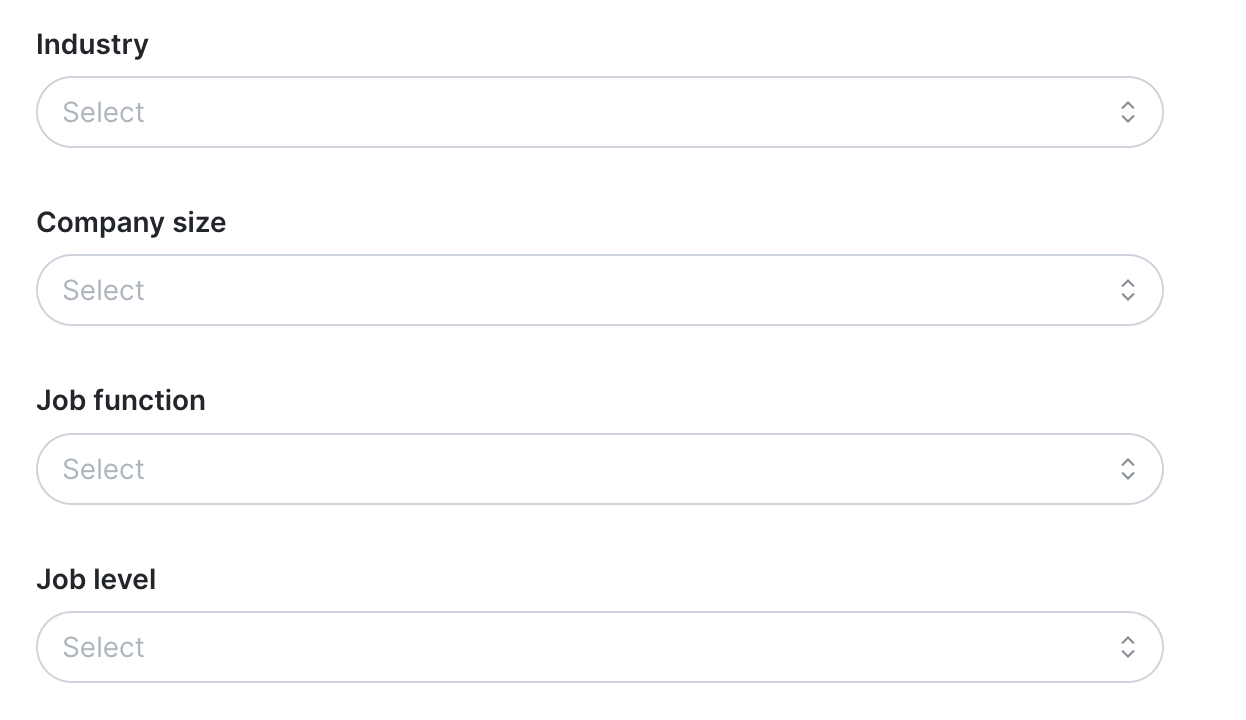
To reach a type of company instead of a fixed list, describe your audience by:
Criterion | What it means |
|---|---|
Industry | The sectors you sell into. |
Company size | By number of employees. |
Job function | The departments you want leads from, such as IT, Marketing, Finance, or Operations. Use it to get leads from the teams that actually evaluate and use your solution. |
Job level | How senior the people are, from individual contributors and managers up to directors, VPs, and the C-suite. Use it to match how your buying decisions are usually made. |
Audyence uses these criteria to build an audience that matches your ideal customer profile, even if you don't have a specific company list.
Intent categories and topics
Intent data shows which companies are actively researching topics related to your solution right now. When you add intent categories and topics, Audyence puts first the companies showing real buying signals (reading content about the problems you solve), not just companies that fit your profile on paper.
Tip: Choose the topics your buyers research when they're ready to buy a solution like yours. A short list of relevant topics works better than a long one. It keeps the audience focused on real purchase interest and still leaves publishers enough companies to deliver against.
Saved audiences
If you run campaigns against the same audience often, save it and reuse it instead of rebuilding it each time. Saved audiences keep your targeting consistent and speed up setup. See Save an Audience.
Bringing in audiences through integrations
Many advertisers already build target company lists and track buying signals in another tool. Instead of rebuilding that work in Audyence, you can connect that tool through an integration and bring your audiences straight in.
An integration is a secure connection between Audyence and a tool you already use. Once connected, Audyence can read the audiences, company lists, and intent segments you've built there. You then select them as your target audience, with no spreadsheets to export or data to re-enter.
Why it helps:
Consistency: you target the same companies and segments you use everywhere else, so your campaigns stay in line with your wider account-based marketing (ABM) strategy.
Intent signals: data providers show which companies are actively researching solutions like yours, so you can put the most likely buyers first.
Less manual work: no exporting, reformatting, or re-uploading lists for every campaign.
Supported data sources
Audyence integrates with leading B2B intent and ABM data platforms, including 6sense and Demandbase. When one is connected, the segments and company lists you've built there can be selected as your Audyence target audience. Setup for each is covered in its own guide (see Related articles).
How your audience affects delivery
Your audience doesn't just decide who sees your campaign. It also decides how much your campaign can deliver:
A broad, well-matched audience gives publishers more companies to work with.
A very narrow audience limits how many leads are available.
Important: If your audience is small compared with your budget, lead caps, and duration, consider widening it before you launch.
Tips
Tip: If a campaign is struggling to deliver, a larger or less restrictive audience is often the fastest fix. Connect your intent or ABM tool once, so your audiences are ready to select for every future campaign.